
Round Corners on Image
Add rounded corners to your images with custom radius, margin, and background color. Process multiple images at once.
Allowed Filetypes: All image formats (JPG, PNG, TIFF, RAW, etc.)
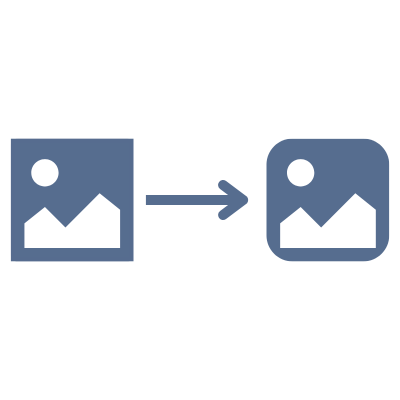
How to round corners on images
- 1Upload your images by clicking the upload area or dragging and dropping files
- 2Adjust the corner radius using the slider or enter a value in pixels or percent
- 3Optionally add margin and choose a background color or keep it transparent
- 4Preview the result in real-time
- 5Download individual images or all at once as a ZIP file
Frequently Asked Questions
How does the corner radius work?
The corner radius controls how rounded the corners are. You can set it in pixels (px) for an absolute value, or in percent (%) where 50% creates a full circle/ellipse. A radius of 0 means no rounding.
What does the margin option do?
The margin adds space around the image, outside the rounded corners. This is useful when you want to see the background color or transparency behind the corners. Set it in pixels or as a percentage of the image size.
Can I make a transparent background?
Yes! Choose 'Transparent' as the background option. The corners will be cut away, revealing transparency. Make sure to export as PNG or WebP to preserve transparency.
Can I process multiple images at once?
Yes! Upload multiple images, adjust your settings, and download them all individually or as a ZIP file. The same settings are applied to all images.
Are my photos safe?
Absolutely! All processing happens locally in your browser. Your images are never uploaded to any server - they stay completely private on your device.
What image formats are supported?
You can process images in AVIF, Animated PNG (APNG), BMP, GIF, HEIC/HEIF, ICO (Icon), JPE, JPG, JPG (JPEG), MP4 (Video), PBM, PGM, PNG, PNG 24-bit, PNG 32-bit, PNG 8-bit, PNM, PPM, PSD, RAW formats (CR2, CR3, NEF, ARW, DNG, ORF, RAF, etc.), SVG, TGA (Targa), TIFF, WebP, XCF. Output formats include AVIF, BMP, GIF, JPG (JPEG), PNG, SVG, TIFF, WebP.
How do I create a circular image?
Set the corner radius to 50% and your image will become circular (or elliptical for non-square images). Add a margin if you want space around the circle.
Is there a file size or quantity limit?
No, there are no file size or quantity restrictions. All processing happens locally in your browser, so larger files or batches may take longer depending on your device's performance.
I have another question
We are always happy to get feedback to expand the tool or clarify things.