Glow Effect
Add an outer glow effect around your images online for free. Create stunning glowing borders with customizable color, size, and intensity. Supports solid and gradient glow colors.
Allowed Filetypes: JPEG, JPG, PNG, WebP, AVIF, BMP, ICO
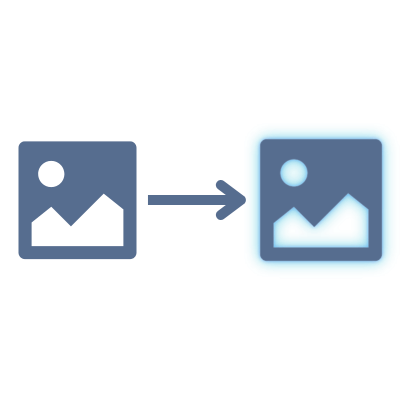
How to add a glow effect to images online
- 1Upload your images by clicking the upload area or dragging and dropping files
- 2Choose a glow color — pick a solid color or create a gradient
- 3Adjust the glow size and intensity sliders to get the look you want
- 4Optionally set a background color or keep it transparent
- 5Preview the glow effect in real-time and download
Frequently Asked Questions
What is a glow effect?
A glow effect adds a soft, colored light around the edges of your image, making it appear to emit light. It expands the canvas to make room for the glow and is commonly used to make images stand out on dark backgrounds, create neon-style graphics, or add visual emphasis.
Can I use gradient colors for the glow?
Yes! You can choose between a solid color glow or a multi-color gradient glow. The gradient option lets you create stunning rainbow or multi-tone glow effects around your image.
What do the size and intensity controls do?
The size slider controls how far the glow extends outward from the image edges — larger values create a wider glow. The intensity slider controls how opaque and vivid the glow appears — higher values create a stronger, more visible glow effect.
What image formats are supported?
You can add a glow effect to images in AVIF, Animated PNG (APNG), BMP, GIF, HEIC/HEIF, ICO (Icon), JPE, JPEG XL (JXL), JPG, JPG (JPEG), MP4 (Video), PBM, PGM, PNG, PNG 24-bit, PNG 32-bit, PNG 8-bit, PNM, PPM, PSD, RAW formats (CR2, CR3, NEF, ARW, DNG, ORF, RAF, etc.), SVG, TGA (Targa), TIFF, WebP, XCF. Output formats include AVIF, BMP, GIF, JPEG XL (JXL), JPG (JPEG), PNG, SVG, TIFF, WebP.
Are my images safe?
Absolutely! All processing happens locally in your browser. Your images are never uploaded to any server — they stay completely private on your device.
Can I add a glow to multiple images at once?
Yes! Upload multiple images, preview the glow effect, and download them all individually or as a ZIP file. The same glow settings are applied to all images simultaneously.
Is there a file size or quantity limit?
No, there are no file size or quantity restrictions. All processing happens locally in your browser, so larger files or batches may take longer depending on your device's performance.
I have another question
We are always happy to get feedback to expand the tool or clarify things.