Image Distorter
Distort and warp your images online for free. Apply swirl, bulge, wave, fisheye, kaleidoscope, and more effects, or use interactive liquify tools to push, bloat, pinch, and twirl pixels by hand.
Allowed Filetypes: JPEG, JPG, PNG, WebP, AVIF, BMP, ICO
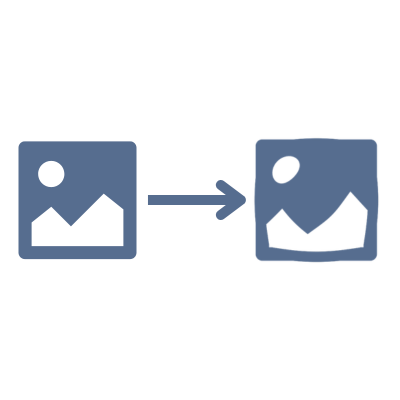
How to distort images online
- 1Upload your images by clicking the upload area or dragging and dropping files
- 2Choose between Whole Image mode for full-image effects or Interactive mode for freehand distortion
- 3Select an effect type and adjust the settings with sliders
- 4Preview the distortion in real-time
- 5Choose your preferred output format and download
Frequently Asked Questions
What distortion effects are available?
The tool offers 10 full-image effects: Swirl, Bulge/Pinch, Horizontal Wave, Vertical Wave, Fisheye, Stretch, Squeeze, Kaleidoscope, Polar Coordinates, and Pixelate Shift. In Interactive mode you get 5 liquify-style brush tools: Push, Bloat, Pinch, Twirl CW, and Twirl CCW.
What is Interactive mode?
Interactive mode lets you click and drag directly on your image to warp pixels, similar to the liquify tool in Photoshop. Choose a brush tool (push, bloat, pinch, or twirl), adjust the brush size and strength, then click and drag to distort specific areas of your image.
Can I undo changes in Interactive mode?
Yes! Interactive mode keeps a history of your brush strokes. Use the Undo button to revert the last stroke, or Reset to return to the original image.
What image formats are supported?
You can distort images in AVIF, Animated PNG (APNG), BMP, GIF, HEIC/HEIF, ICO (Icon), JPE, JPEG XL (JXL), JPG, JPG (JPEG), MP4 (Video), PBM, PGM, PNG, PNG 24-bit, PNG 32-bit, PNG 8-bit, PNM, PPM, PSD, RAW formats (CR2, CR3, NEF, ARW, DNG, ORF, RAF, etc.), SVG, TGA (Targa), TIFF, WebP, XCF. Output formats include AVIF, BMP, GIF, JPEG XL (JXL), JPG (JPEG), PNG, SVG, TIFF, WebP.
Are my photos safe?
Absolutely! All processing happens locally in your browser using Canvas technology. Your images are never uploaded to any server — they stay completely private on your device.
Can I distort multiple images at once?
Yes! Upload multiple images, preview the distortion, and download them all individually or as a ZIP file. The same distortion settings are applied to all images simultaneously. Note: Interactive mode applies to one image at a time.
Is there a file size or quantity limit?
No, there are no file size or quantity restrictions. All processing happens locally in your browser, so larger files or batches may take longer depending on your device's performance.
I have another question
We are always happy to get feedback to expand the tool or clarify things.