AI Photo Colorizer
Add realistic, natural color to black-and-white photos with AI — old family pictures, historical photos, and grayscale scans come back to life in seconds. Batch up to 10 photos, with a zoomable before/after preview of every result. Free to try.
Allowed Filetypes: PNG, JPEG, WebP
Max size: 15MB • Max files: 10
Real Colorization Examples
Powered by a modern, high-end AI colorization model, our tool gives black-and-white photos realistic, natural colors — skin tones, skies, and fabrics that look like the picture was taken in color all along. Every example below is a real, unedited result.
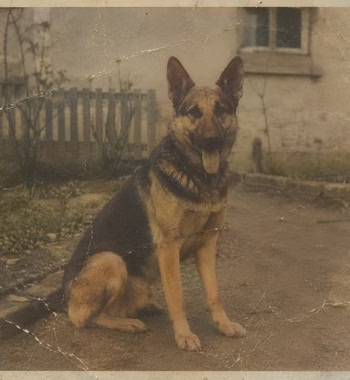
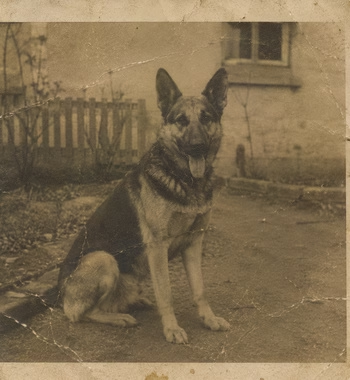
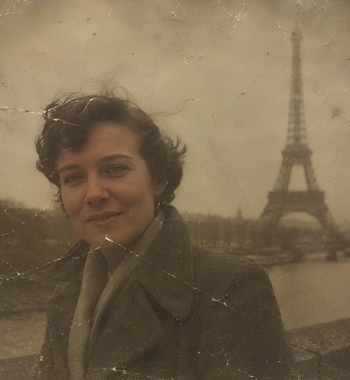
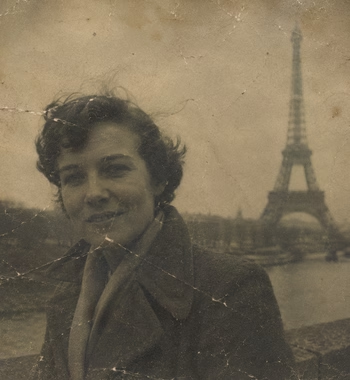
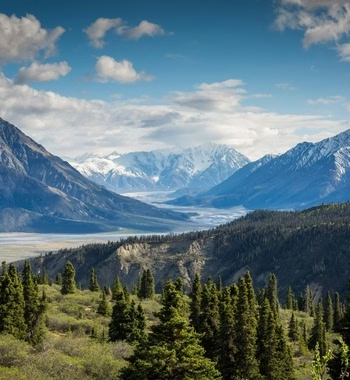
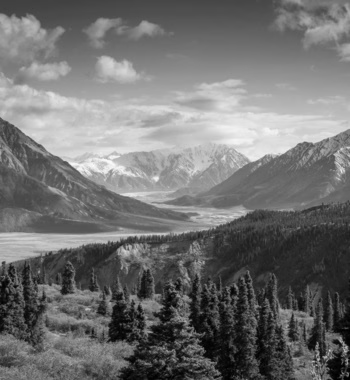

How to colorize a black-and-white photo with AI
- 1Scan or photograph your black-and-white picture and drop up to 10 photos (PNG, JPG, or WebP) into the upload area.
- 2Leave Also restore & enhance on for old scans — the AI cleans noise and blur and rebuilds faces before adding color.
- 3Click Colorize Photos — the AI adds realistic, natural color on our servers and shows a before/after preview.
- 4Click any result to zoom in and compare the original with the colorized version.
- 5Rename if you like, then download photos individually or grab the whole batch as a ZIP. Signed in? Results are saved to My Files automatically.
Frequently Asked Questions
Is the AI photo colorizer free?
Yes — you get a few free AI credits per day (shared across all Imagy AI tools), with inputs up to 1024 px on the longest side, including restoration and face enhancement. The free plan uses our fast Classic model. Imagy Pro unlocks higher-resolution processing (up to 2048 px) and a choice of premium colorization models, starting at 1 AI credit per photo.
How does AI colorization work?
The AI analyzes the content of your photo — faces, clothing, sky, vegetation — and predicts realistic colors for each region. The Classic and Qwen models keep your photo's original brightness and detail untouched and only add color; the premium Gemini models can also intelligently rework fine detail for the richest results.
Which colorization model should I choose?
Classic is fast and faithful, and it's free on every plan — a great natural first pass. Qwen (the Pro default) adds smarter, luminance-preserving colors. Bria Fibo lets you pick a color style like contemporary, vivid, or sepia vintage. Gemini 3.1 Flash and Gemini 3 Pro are premium generative models that give the richest, most vivid results and can subtly refine details. Free plans use Classic; Pro can pick any model, and each shows its credit cost before you run it.
Are the colors historically accurate?
The AI predicts plausible, natural colors based on what it recognizes — it can't know the true color of a specific dress or car. Results look realistic and lifelike, but treat them as an interpretation rather than a historical record.
What does the "Also restore & enhance" toggle do?
When on (the default), the AI first cleans noise, blur, and compression damage and rebuilds faces — then colorizes. That's usually the best choice for old scans. Turn it off if your photo is already clean and you only want color added.
Does it work on photos that already have color?
It's designed for black-and-white and grayscale photos. Running it on a color photo will re-predict the colors, which can shift them noticeably — for faded color photos, try the AI Photo Restoration tool instead.
Can it repair damage too?
Light damage, yes — the restore toggle cleans noise, blur, scanning artifacts, and compression damage and enhances faces. For heavily damaged photos, run the dedicated AI Photo Restoration tool first, then colorize the result here.
What output format do I get?
With the Classic and Qwen models the output mirrors your input: JPG in, JPG out; PNG or WebP in, PNG out (transparency is preserved on PNG). The premium models (Bria Fibo and Gemini) always return a high-quality PNG. You can rename each file before downloading.
Can I colorize multiple photos at once?
Yes, up to 10 photos per batch. On Pro they're processed in parallel for faster results; on the free plan they run one at a time. Either way you can rename them individually and download everything as a ZIP.
What's the maximum photo size?
Uploads up to 15 MB per photo. Free inputs are processed at up to 1024 px on the longest side, Pro at up to 2048 px.
Are my photos stored?
Uploaded originals are deleted automatically within 48 hours. If you're signed in, colorized photos are saved to your My Files storage; anonymous results are removed after 3 days.
I have another question
We are always happy to get feedback to expand the tool or clarify things.